

This CoCo 3 came from Brian Weisler on Discord. This was advertised as a known bad unit with no RAM and video issues. When it arrived, it was exactly as advertised, but the case was in really nice condition, which is always a plus. But, this CoCo 3 had a healthy dose of Murpy’s Law behind it.
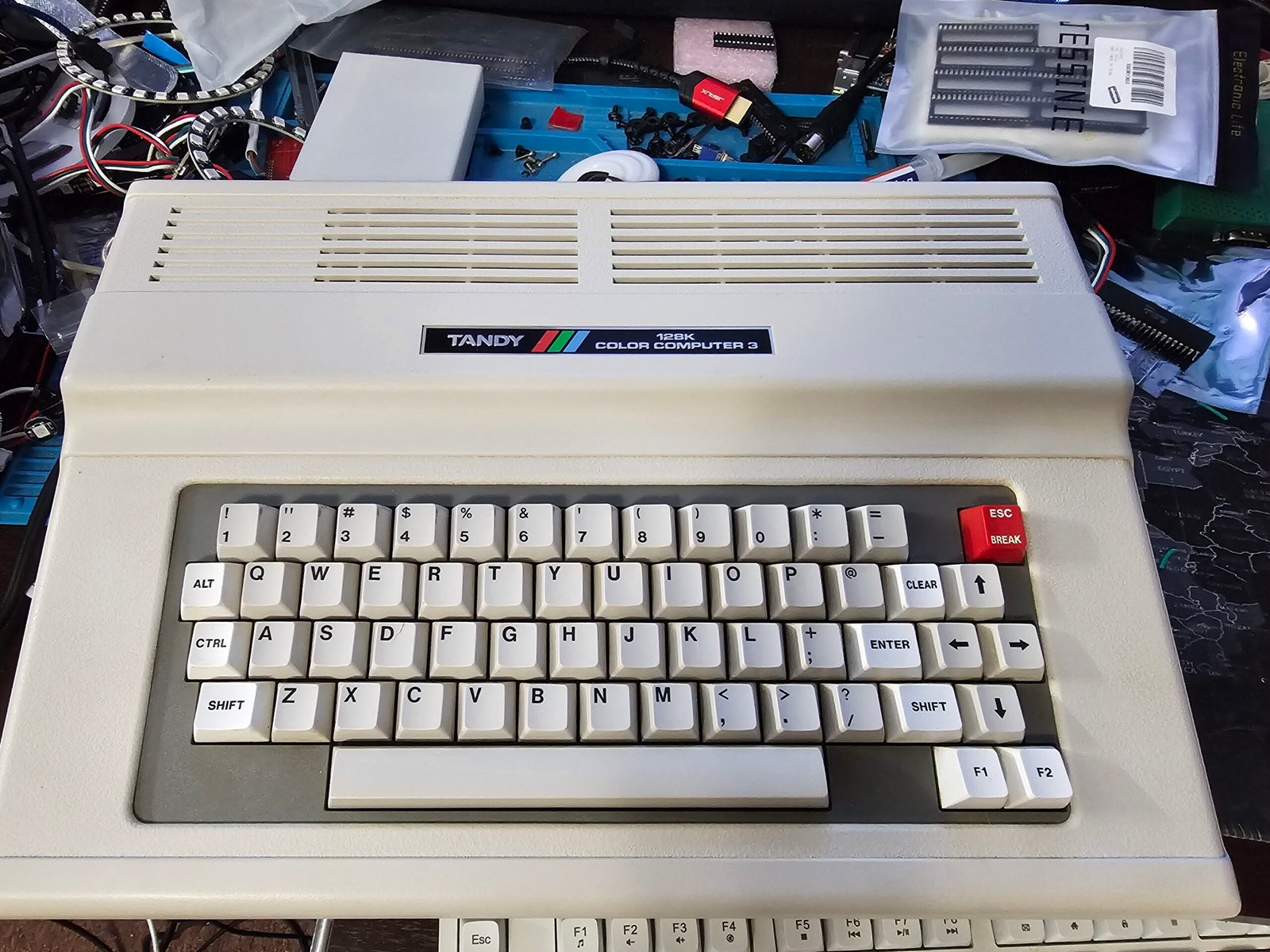
The initial connection produced… nothing. No video at all – RF or Composite. One thing I noticed during testing was that the upper half of the CPU got physically hot to the touch, I didn’t realize how hot until later on in the diagnosing process.
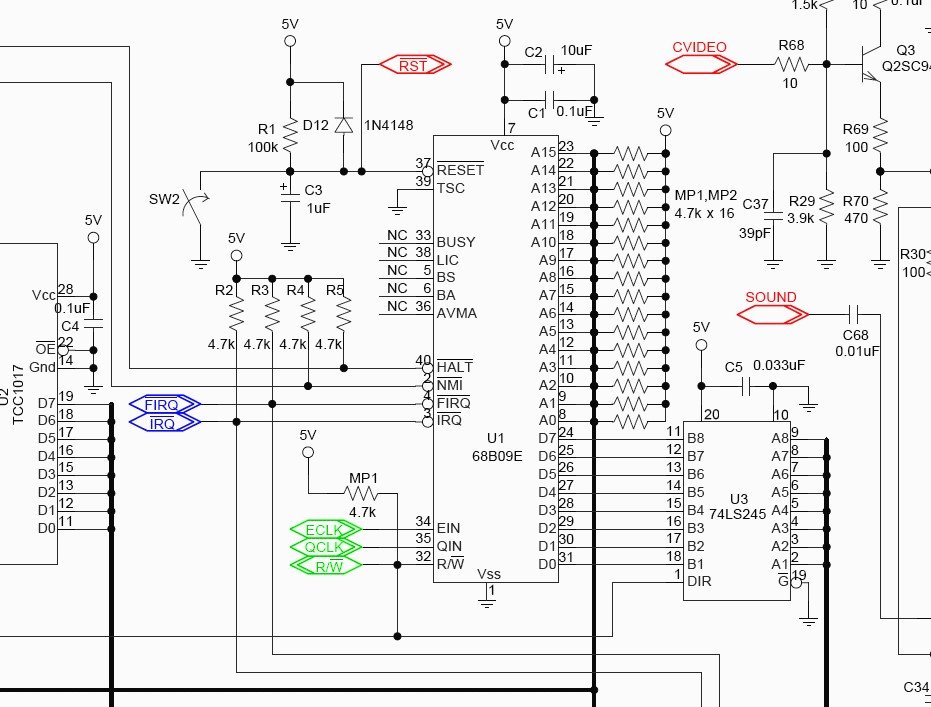
Looking over the schematic, I started checking CPU signals – and a consistant THEME became apparent. All of the active low signals present on the CPU were actually low – less than one volt when they should have been near 5vdc. After asking a few questions on the Discord general hardware channel (it’s been 10 years since I’ve dug this deep into a CoCo), Captainkirchoff hung with me and gave me sanity checks when asked for and confirmed what the signals should be versus what I had.
Here’s where the temperatures come into play. After about 10 minutes of testing, I noticed the CPU was HOT. I estimated it was around 120 deg F – boy was I wrong. I grabbed my IR thermometer and, after changing the battery, I found the upper half of the CPU was approaching 160 deg F, while the lower half was less than 100 deg F. Obviously the next step was to remove the CPU…
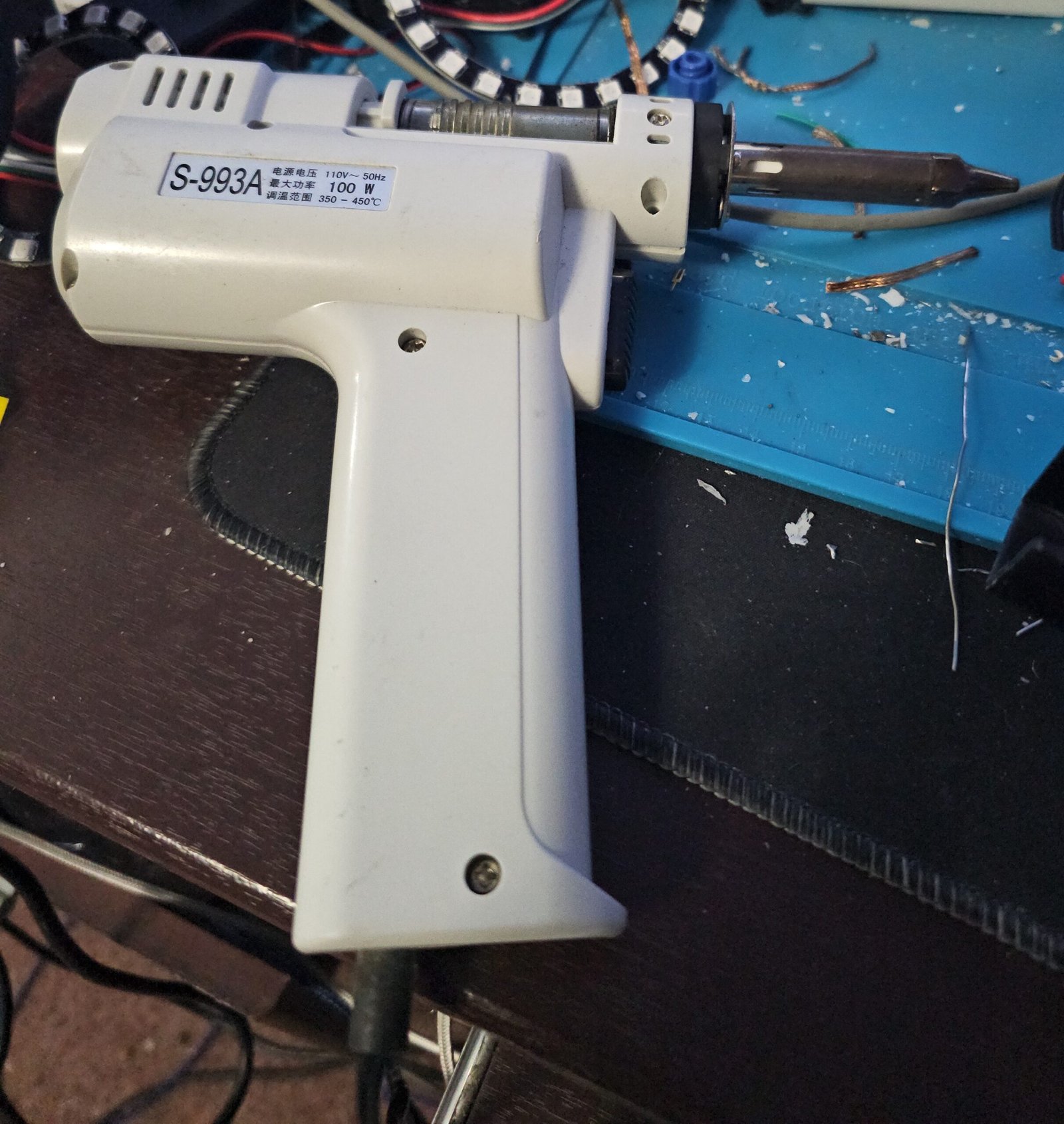
Above is my de-soldering gun. It is vacuum operated, and is a cheap Chinese knock-off of a Hakko unit, I believe. The important thing is, it does work as long as you keep the tip opened. So on the bottom of the board, I dropped a dab of fresh solder on each CPU pin, making sure the old solder got hot enough to melt. The next step was to drop a little flux on each pin, and start with the gun. As the solder melted, I’d gently move the pin leg arounD, giving the vacuum a chance to suck the solder out.
After, I used solder wick and more flux on the top and bottom to remove as much solder as possible. Finally, I turned the board over (top-side up) and attached my IC extractor to the CPU and used hot air set at 380 deg F, and moved it around the chip until the CPU came out with no effort; then used wick and more flux one last time.
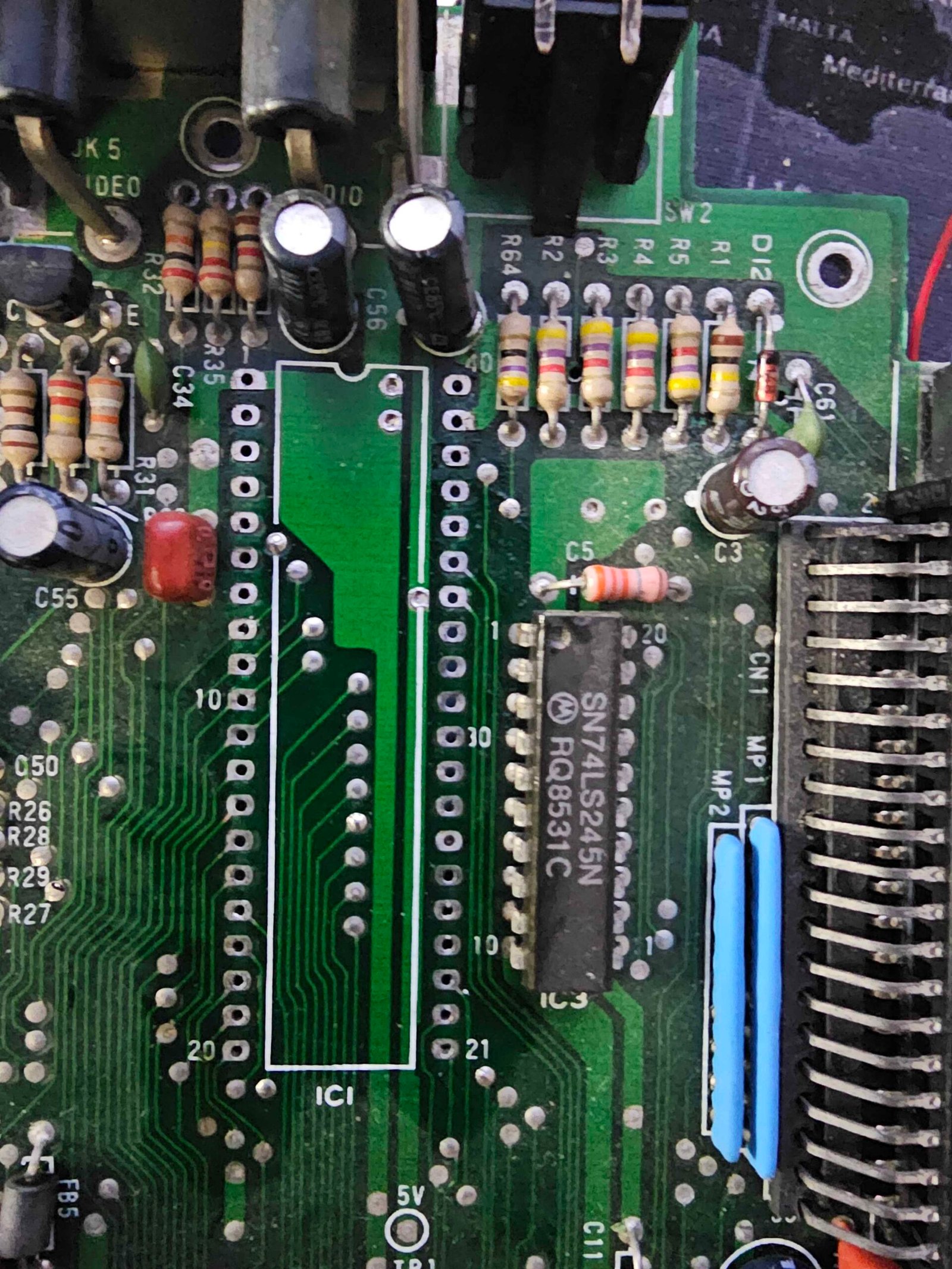
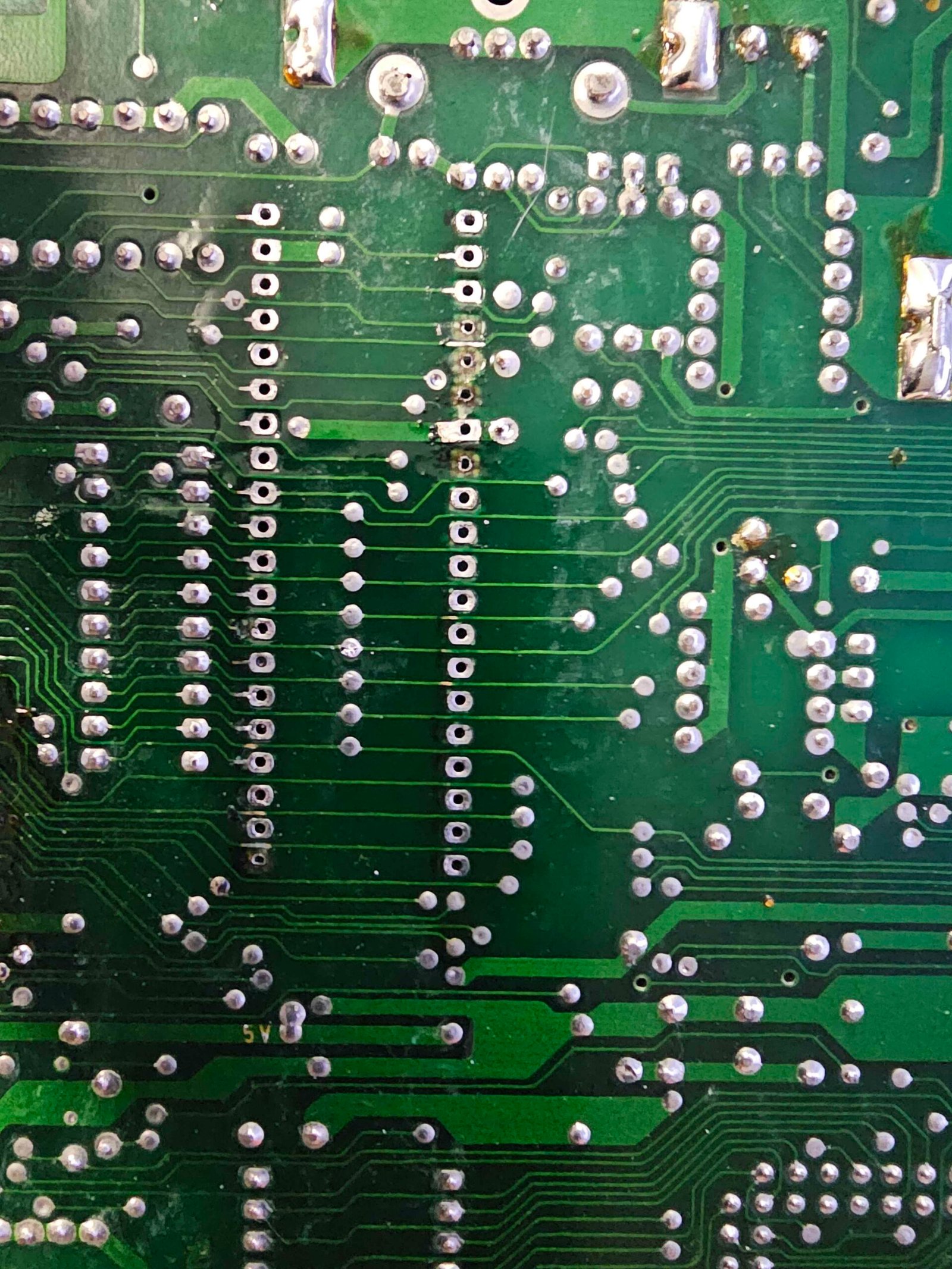
It’s not perfect, and neither was I, obviously. Five solder pads were removed in the process – two of which were on pins that aren’t used anyway. After removal of the CPU, it was time to check the voltages on the active low signals again (/HALT, /NMI, etc…), so out came the DMM again. This time, all voltages were what they needed to be, all around 5vdc.
So now the decision of HOW to make the repairs effective must be made. While the pads were gone, the plated thru hole was still there, I needed to ensure there was a way to get solder into the thru hole and attach to the plated hole to ensure circuit integrity.
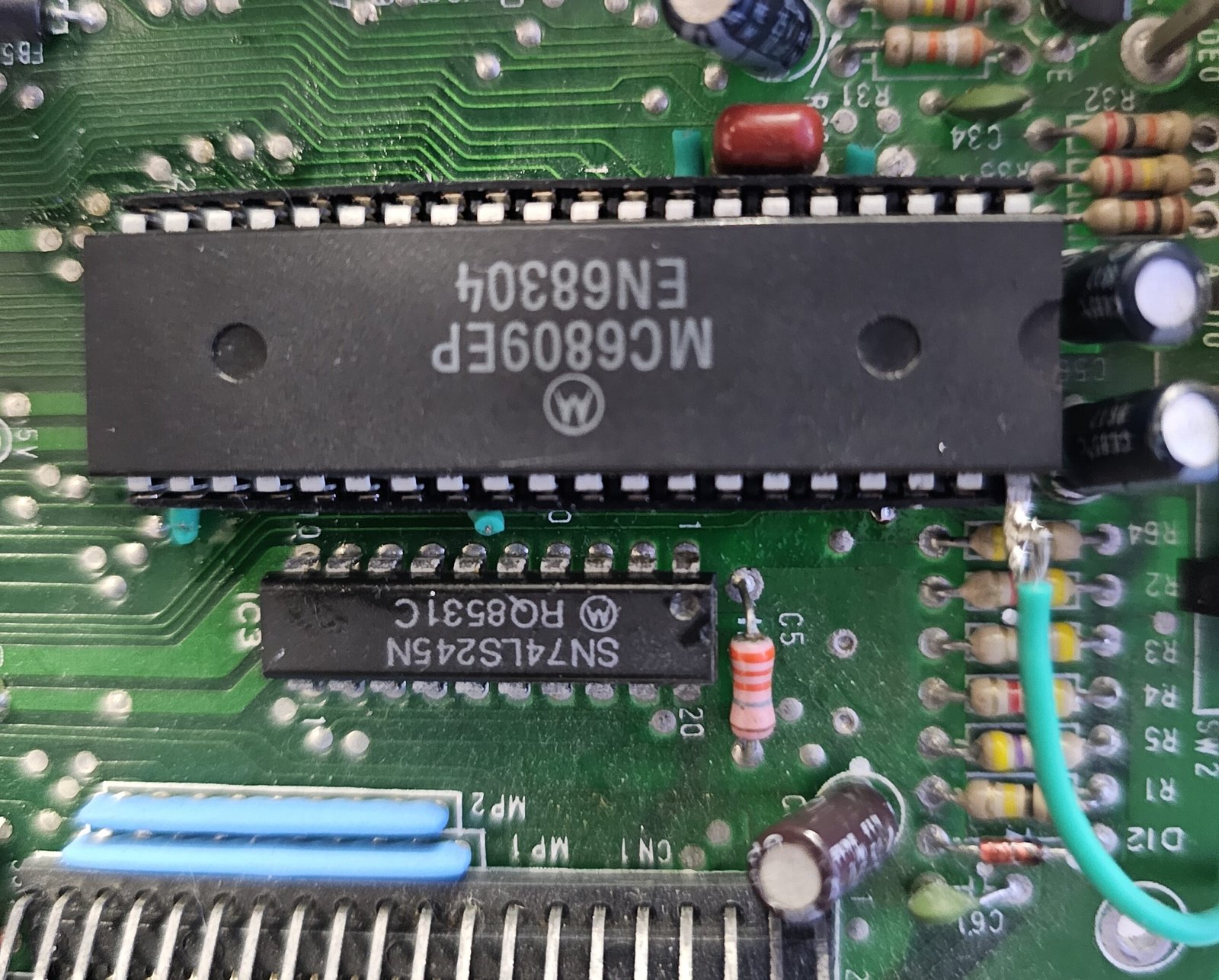
(the wire going to pin 40 or /halt, was because I didn’t realize when I picked that socket up, the upper part of the leg wasn’t even there, so I needed a way to reconnect /HALT to the motherboard, so I looped a wire from the CPU pin down to the pad for pin 40. It’s ugly, but it works.)
My choice to ensure continuity was to use wire, and feed it thru the holes that were damaged, then gently inserted the socket to ensure the pins were not pushed back up and out. On the bottom side of the board, I wrapped the wire around the socket leg and soldered them together, and by that, the solder flowed down the wire into the plated hole.
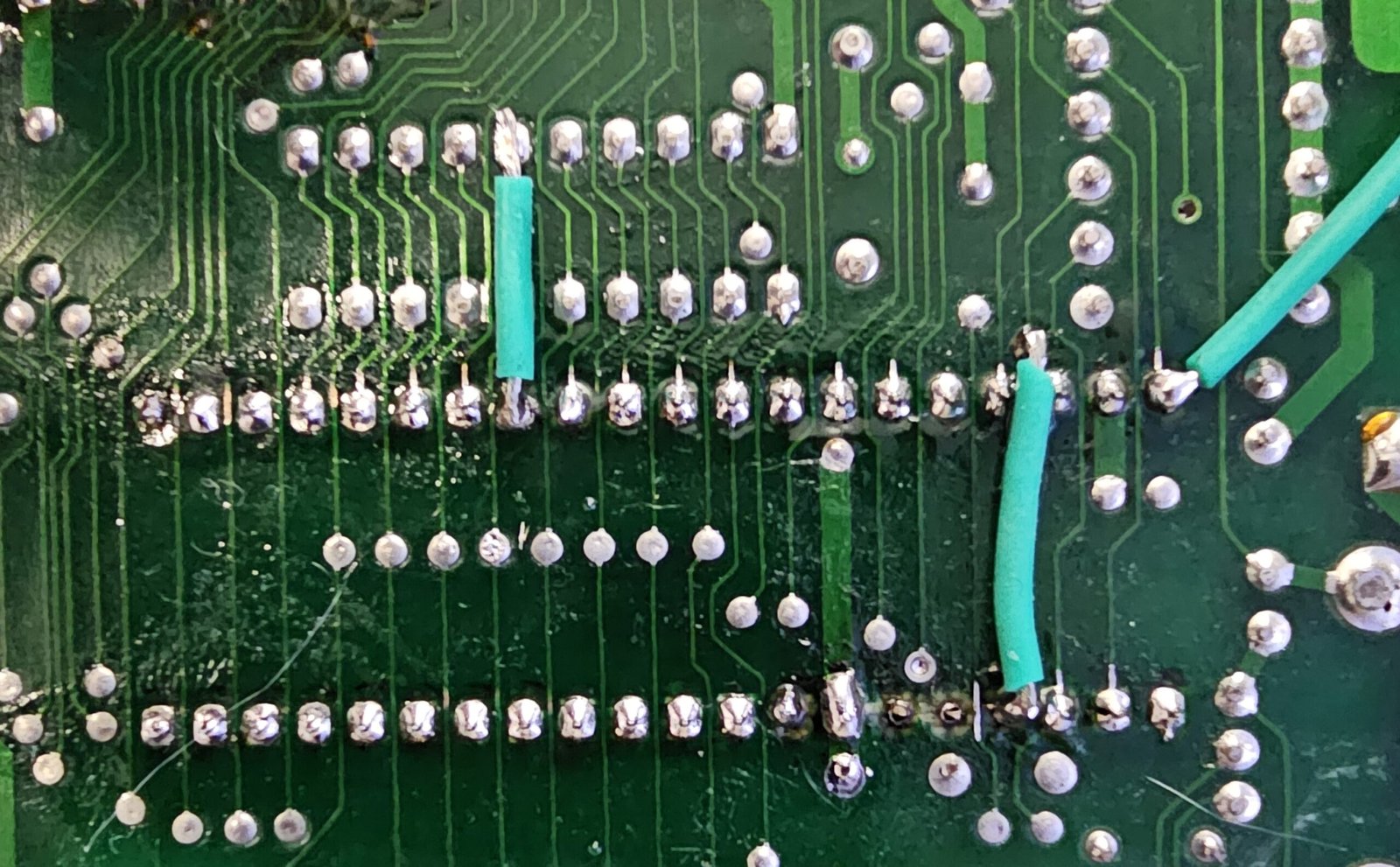
Fortunately, I only had to run two jumper wires (besides the loop to pin 40). Sadly, this did not resolve the video issues. I still had no video at RF or Composite, and I was a little frustrated. So out comes the scope to check the wave forms in the CoCo 3 Service Manual. The results were… well, Murphy raised his head here again, as there were no wave forms except the HSYNC signal. There was not video component. Anywhere. This led me to try a GIME swap (confirmed as a sanity check by CoConut Bob, with an assist from Deek on Discord, also bringing up possible socket damage).
Still no video – can you imagine…?
The next step was to reinspect the GIME socket and check pin continuity, but it didn’t take long to find another example of Murphy.
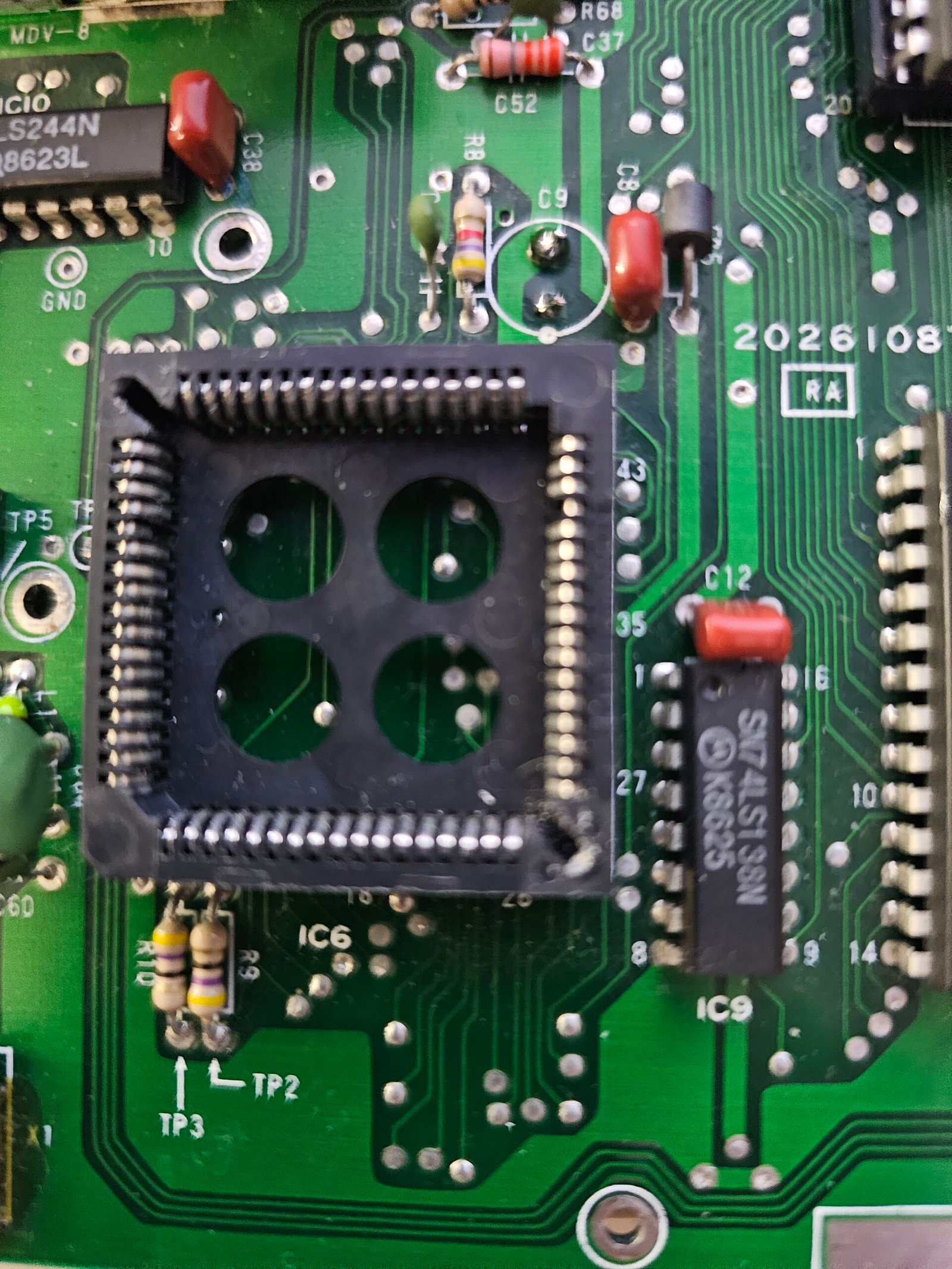
I had reseated the GIME a couple of times and didn’t notice anything, so this time I did what I should’ve done and inspected the GIME and it’s socket. Pins 65 (CVIDEO) and 40 (Z6) were pretty compressed. With the GIME inserted, I was able to confirm no contact between those pins, and the GIME partner pins.
The only thing I can surmise is the CPU died, and whomever was working on it assumed it was a video issue and jammed a probe at those two points on the GIME. After that, the priority became no video as there was no connection between the GIME pins and the socket, and also explains why the rest of the video TP’s were essentially dead.
People need to realize these 40 year old sockets haven’t gotten stronger over time, and those pins only have so much spring-back in them when new, let alone decades later. Took me a good half hour with a needle to manipulate those pins to a point where they’d make contact. I really didn’t want to R&R the GIME socket….
With the next power on test I was greeted with the image below.
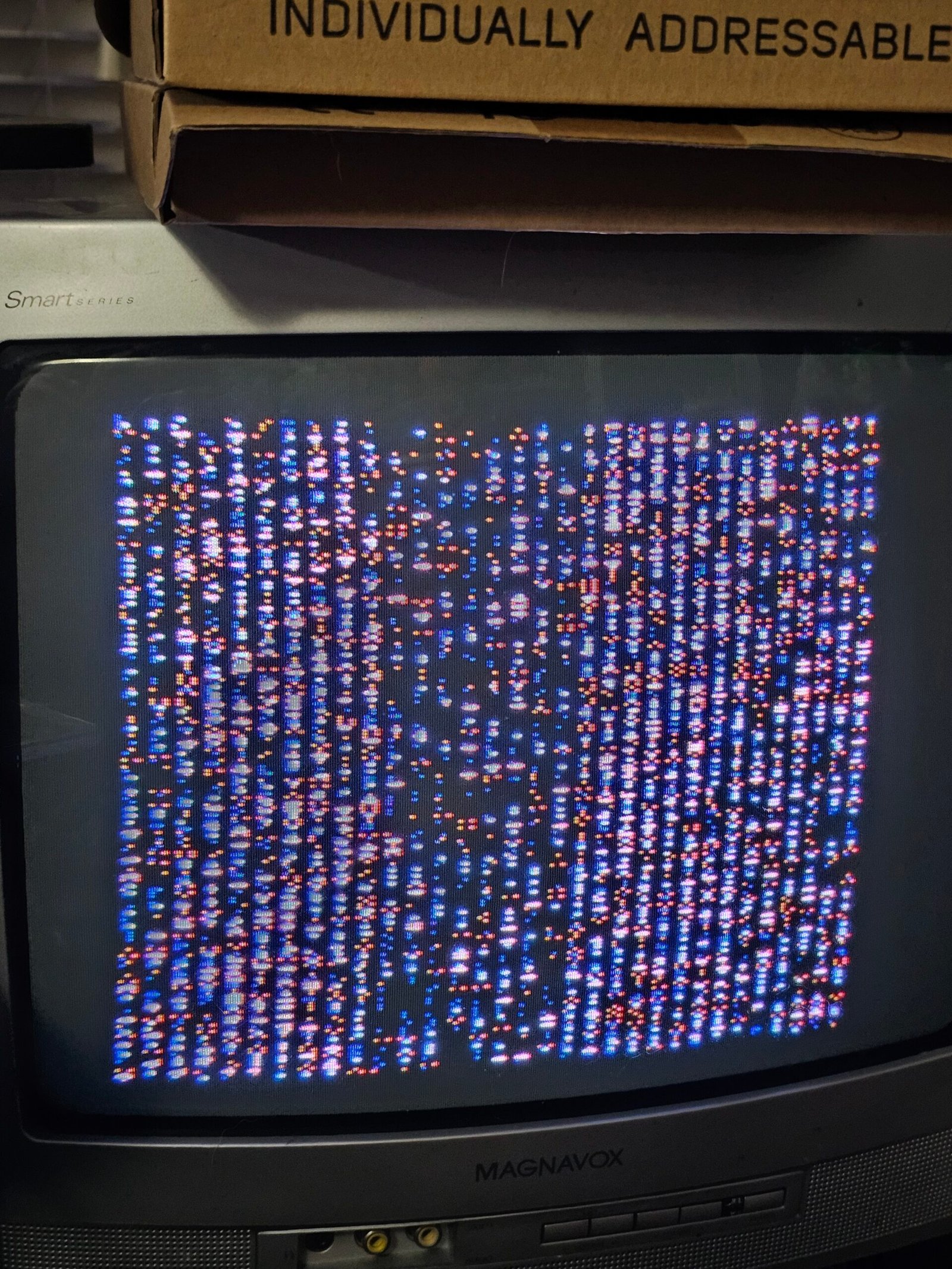
If you ever worked on a no-video CoCo before, you know this was an encouraging sight. Finally, SOMETHING was working as it should. In this case, this display proved to me that the CoCo 3 now had video. From here, diagnosis gets easier, usually, and Murphy is no longer in control.
I had bought a package of 10 63C09 CPU’s over a year ago. Of the ones I’ve used, there were a couple of bad ones. So I swapped in a KNOWN GOOD 6809 CPU.
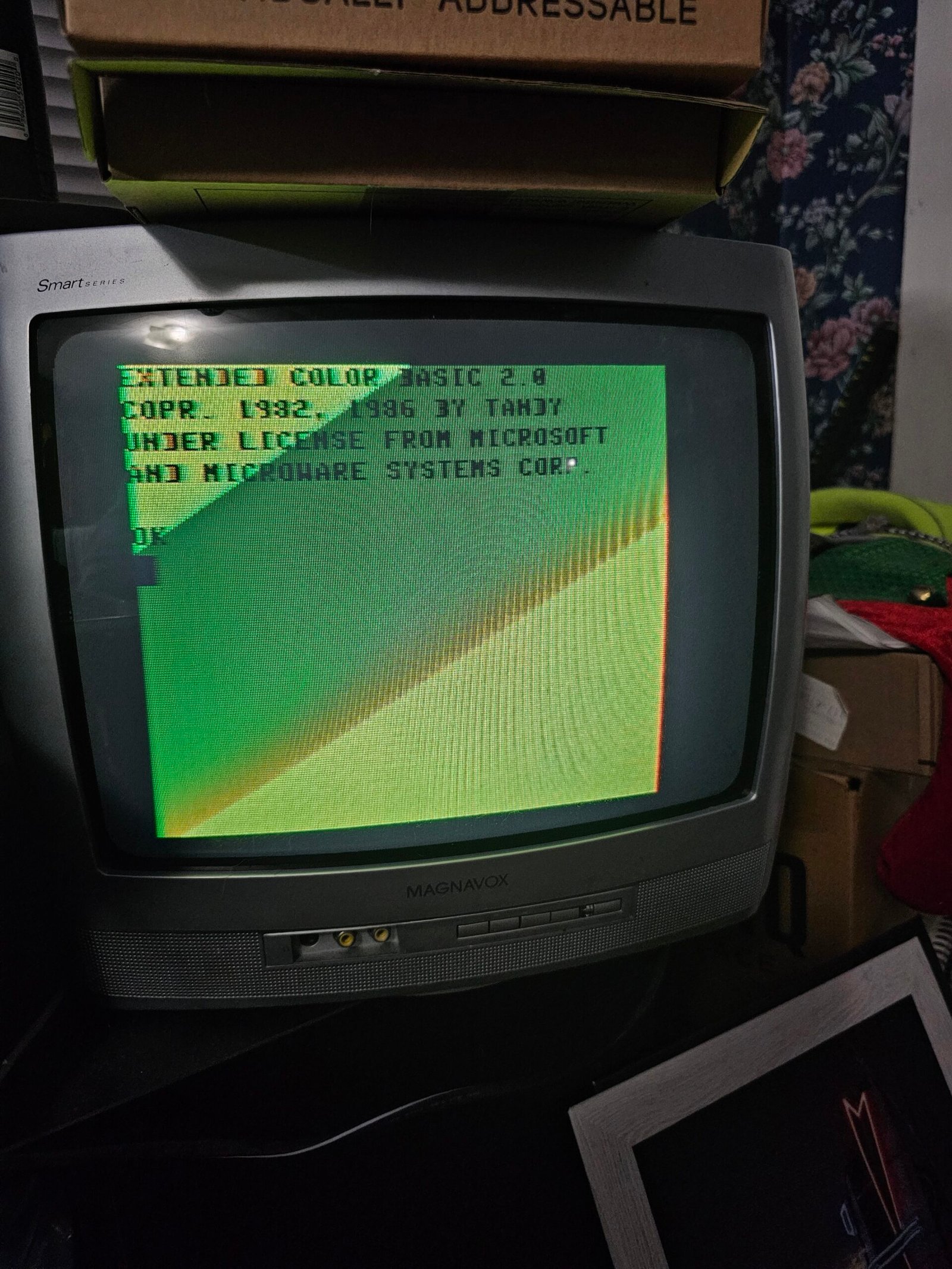
We’re not completely done here yet – I need to finish putting everything back together, and run the diag cart just for S&G, but this made me quite happy. I really do enjoy bringing these old gems back to life. E-Waste is a terrible thing.
When I bought this, I figured absolute worst case I had a parts unit for the Rocky Hill CoCo 3 board I’m going to (try to) build over Christmas. But being able bring this unit back to life has made me a very happy camper this evening.
It’s bedtime, happy CoCoing, CoCoNutz!